“Password123!” still shows up in data breach lists every single year. So does your pet’s name with a “1” at the end. So does your birthday backwards.
The passwords most people think are “pretty good” are exactly the ones hackers try first. A password that’s actually secure looks random because it is random — and that’s precisely why most people avoid creating one manually.
The AIToolsE Password Generator creates cryptographically secure passwords instantly, shows you exactly how strong they are, and runs entirely in your browser. This guide covers how passwords actually get cracked, what makes one strong, and how to generate and manage yours properly.
How Passwords Actually Get Cracked
Understanding this changes how you think about password strength. Attackers don’t usually guess one password at a time by hand — they run automated tools that try millions of combinations per second.
Dictionary attacks
A list of common words, names, and known passwords gets tried automatically. “sunshine,” “dragon,” “qwerty,” and your dog’s name are all in these lists. If your password is a word, it’s probably already on a list somewhere.
Brute force attacks
Every possible combination of characters gets tried, starting from the shortest. An 8-character password using only lowercase letters can be cracked in hours on modern hardware. Add length and character variety, and the time required jumps from hours to centuries.
Credential stuffing
When one website gets breached, attackers take the leaked email-password combinations and try them on other websites. If you reuse passwords, one breach anywhere can compromise accounts everywhere.
What the AIToolsE Password Generator Offers
| Feature | Details |
|---|---|
| Generation method | Cryptographically secure random generation |
| Strength analysis | Real-time entropy and strength scoring |
| Passphrase mode | Yes — word-based memorable passwords |
| Batch generation | Yes — generate multiple passwords at once |
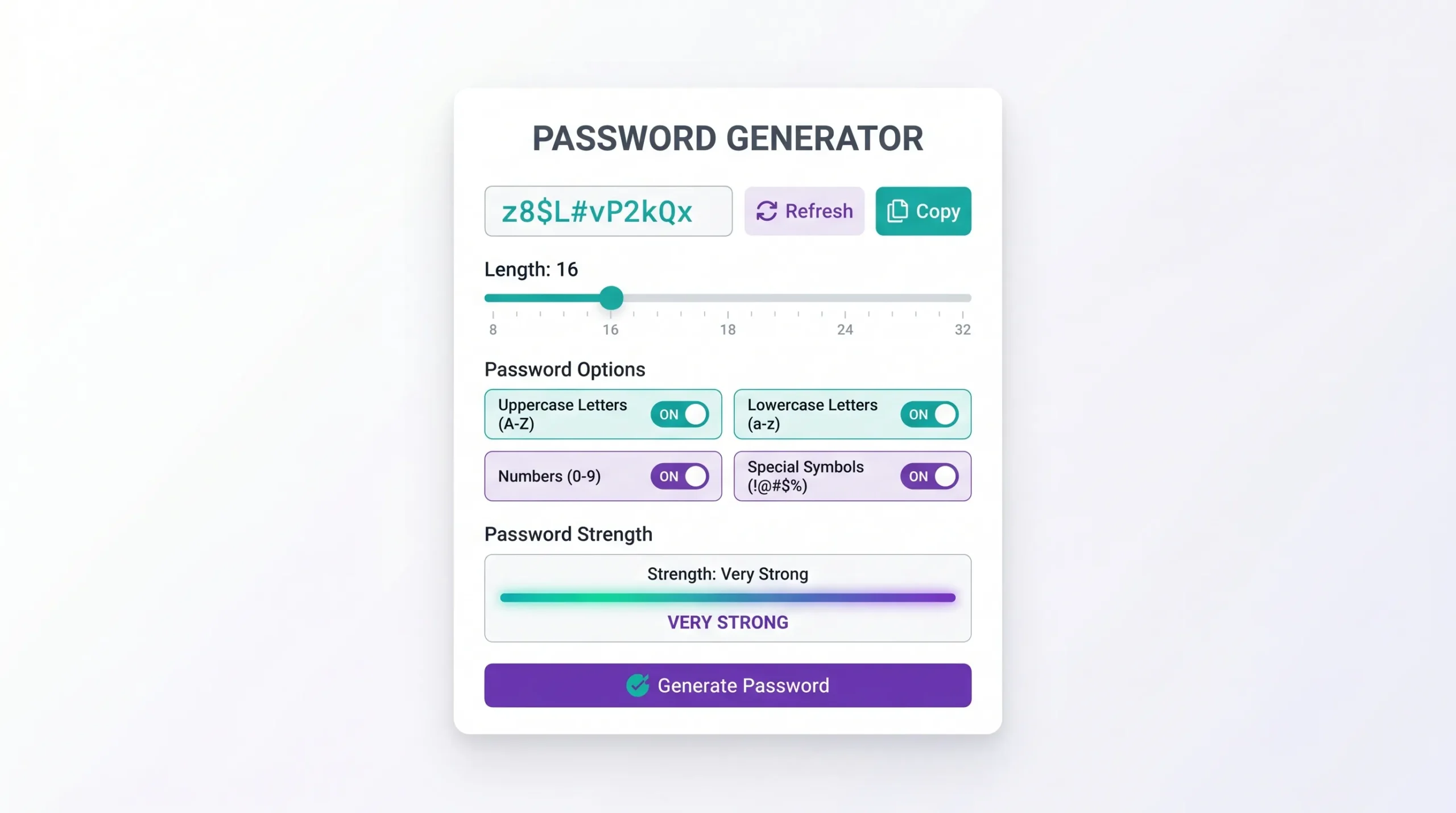
| Customization | Length, symbols, numbers, uppercase/lowercase |
| Processing | Client-side — nothing sent to a server |
| Signup required | No |
| Cost | Free |
The “client-side generation” detail matters more than it sounds. If a password generator creates your password on a server and sends it to your browser, that password technically passed through someone else’s system. This tool generates everything inside your own browser — the password never travels anywhere.
How to Generate a Strong Password
Step 1 — Open the tool
Go to password.aitoolse.com. No account, no signup screen.
Step 2 — Set your length and character options
Choose how long you want the password and which character types to include — uppercase, lowercase, numbers, and symbols. For most accounts, 16+ characters with all four types is a strong baseline.
Step 3 — Generate
Click generate. You’ll see the password along with a real-time strength score showing exactly how secure it is.
Step 4 — Try passphrase mode (optional)
If you need something you can actually type or remember, switch to passphrase mode. This generates a string of random words, which can be both strong and memorable.
Step 5 — Copy and store it properly
Copy the password and save it in a password manager — not a notes app, not a sticky note, not a text file on your desktop.
Random Passwords vs. Passphrases — Which Should You Use?
Random character passwords
A string like xK9#mP2$vL7q is extremely hard to crack because there’s no pattern to exploit. The downside: impossible to remember, so it only works if you’re using a password manager — which you should be.
Passphrases
A string like correct-horse-battery-staple-92 uses multiple random words plus a number. It’s longer than most random passwords but can be easier to type and occasionally remember. Length compensates for using real words — four or more random words is what makes this secure, not just “a sentence you’ll remember.”
The actual rule: If you use a password manager (and you should), use random character passwords for everything. Reserve passphrases for the few passwords you genuinely need to type from memory — like your password manager’s master password.
What Actually Makes a Password Strong
Length matters more than complexity
A 20-character password using only lowercase letters is harder to crack than an 8-character password with numbers and symbols. Length increases the possible combinations exponentially. Aim for 16 characters minimum, 20+ for important accounts.
Uniqueness matters more than memorability
The single biggest password mistake is reuse. One password, used everywhere, means one breach compromises every account. A password manager makes unique passwords for every account practical.
Avoid personal information entirely
Names, birthdays, anniversaries, pet names, and addresses are the first things attackers try — because people use them constantly. None of this should appear in any password, even modified.
Two-factor authentication is not optional anymore
Even a perfect password can be compromised through phishing or a data breach you didn’t cause. 2FA — a code from your phone or an authenticator app — stops most account takeovers even if your password leaks.
Frequently Asked Questions
Is the password generator really free with no limits?
Yes. No account, no trial, no limit on how many passwords you generate.
Is my generated password sent to a server?
No. The password is generated entirely in your browser using your device’s processing. Nothing is transmitted or stored anywhere.
How long should my password actually be?
16 characters minimum for most accounts. For email, banking, and your password manager’s master password, 20+ characters is recommended.
What is entropy and why does the tool show it?
Entropy measures how unpredictable a password is, expressed in bits. Higher entropy means more possible combinations an attacker would need to try. The tool shows this so you can see real strength, not just a “weak/strong” label.
Should I use the same strong password everywhere if it’s strong enough?
No. Even an extremely strong password should never be reused. If one site is breached, that password becomes useless everywhere it’s used. Generate a unique password for every account.
What’s the difference between this and my browser’s built-in password generator?
Browser generators work fine, but this tool shows real-time strength analysis, supports passphrase mode, and lets you generate multiple passwords in batch — useful when setting up several accounts at once.
Do I still need a password manager if I use this tool?
Yes. A generator creates strong passwords; a password manager stores and autofills them securely. The two work together — generate here, save in your manager.
Conclusion
Most password breaches don’t happen because someone “hacked” anything clever — they happen because a password was weak, reused, or guessable. Fixing that takes less time than reading this article.
Generate a strong, unique password for every account that matters, store them in a password manager, and turn on two-factor authentication wherever it’s offered.
Generate a secure password now → password.aitoolse.com